
About Us
We pride our business on its professionalism, punctuality, affordability, and up to date teaching techniques and learning strategies. Our mission is to provide our students with a higher standard of driving techniques to help them become safe, confident drivers.
We are looking forward in sharing our best with you!
About UsContact Info
- 434 KINGS HWY BROOKLYN, NY 11223
- (718) 758-4740
- amethystdriving@gmail.com
Brooklyn, NY
Training Time:Driving Class 8 am to 8 pm
dial to drive: (718) 758-4740
Single Course - Amethyst Driving School
Driving Course details
Parallel parking can be intimidating for beginners, but with practice and following these steps, you'll become more confident and proficient at it. Here's a step-by-step guide to help you parallel park:
1. Find a suitable parking space: Look for a space that is at least 1.5 times the length of your car. This will give you enough room to maneuver without risking damage to your vehicle or those around you.
2.Position your car: Align your vehicle parallel to the car in front of the parking space, about 2-3 feet away from it. Your car's rear bumper should be approximately level with the other car's rear bumper.
3.Check mirrors and signal: Before you start maneuvering, check your rearview mirror, side mirrors, and blind spots. Turn on your right turn signal to let other drivers know your intention to park.
4.Shift into reverse: With your foot on the brake, shift your car into reverse.
5.Begin turning: As you slowly release the brake and begin to reverse, turn your steering wheel all the way to the right. Keep an eye on your side mirrors and rearview mirror to ensure you have a clear view of the cars in front and behind you.
6.Check the angle: When the rear of your car is at a 45-degree angle with the curb, stop and turn your steering wheel back to the center position. This will help you align the car with the parking space.
7.Straighten out: Continue to reverse slowly while straightening your steering wheel. Watch your side mirrors for the distance between your car and the vehicle behind you. Stop when your car is parallel to the curb and your front bumper is aligned with the rear bumper of the vehicle in front.
8.Adjust your position: If necessary, shift your car into drive and gently move forward to adjust your position within the parking space. Ensure there's an even distance between your car and the vehicles in front and behind you.
9.Center your car: Once you are satisfied with your position, straighten your steering wheel and put your car into park. Engage the parking brake to secure your vehicle.
10.Exiting the parking space: When leaving the parking space, check your mirrors and blind spots, signal left, and slowly reverse until you have a clear view of the road. Shift into drive, turn your steering wheel to the left, and carefully accelerate to merge back into traffic.
59$
Per Person


Theory Session
04 Hours
Practical Session
12 Hours
Examination
20 Mins+ 30 Mins
Certificate
Course CompletionThe advanced level course
is designed for our leaners

The New York 5-Hour Zoom Pre-Licensing Course teaches you the knowledge and skills you need to become a safer, more responsible driver. New drivers will learn New York traffic laws, defensive driving skills, rules of the road and much more
- Responsibilities as a Driver
- Vehicle Controls
- Traffics Signs & Control Devices
- Rules of the Road
- Encountering other Road Users
- Driving in Dangerous Condition
- Incase of Accident
Meet our expert trainers

Anastasia Chebotareva
Founder, Instructor
Alona
Administrator
Alex
Instructor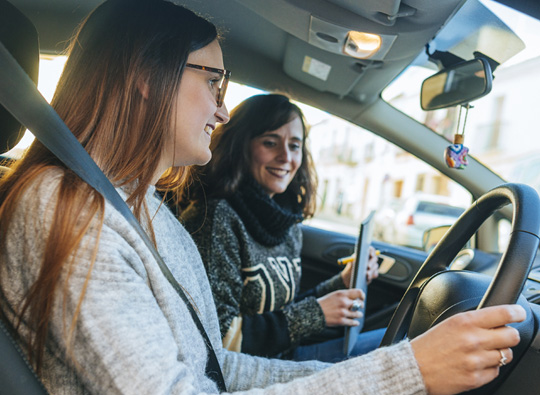
Female trainers
for our female leaners
Female trainers provide a comfortable environment for female learners, offering tailored coaching and support. They cater to specific needs and preferences, fostering confidence and skill development.
Let us start your journey!.. With your comfordable.